 waputu
Before you start
- Open the original facility and job.
- Review every recorded child outcome before continuing.
Where to click
- 1Pause after current child→
- 2Recent jobs > Refresh→
- 3Resume job→
- 4Cancel remaining→
- 5Labels
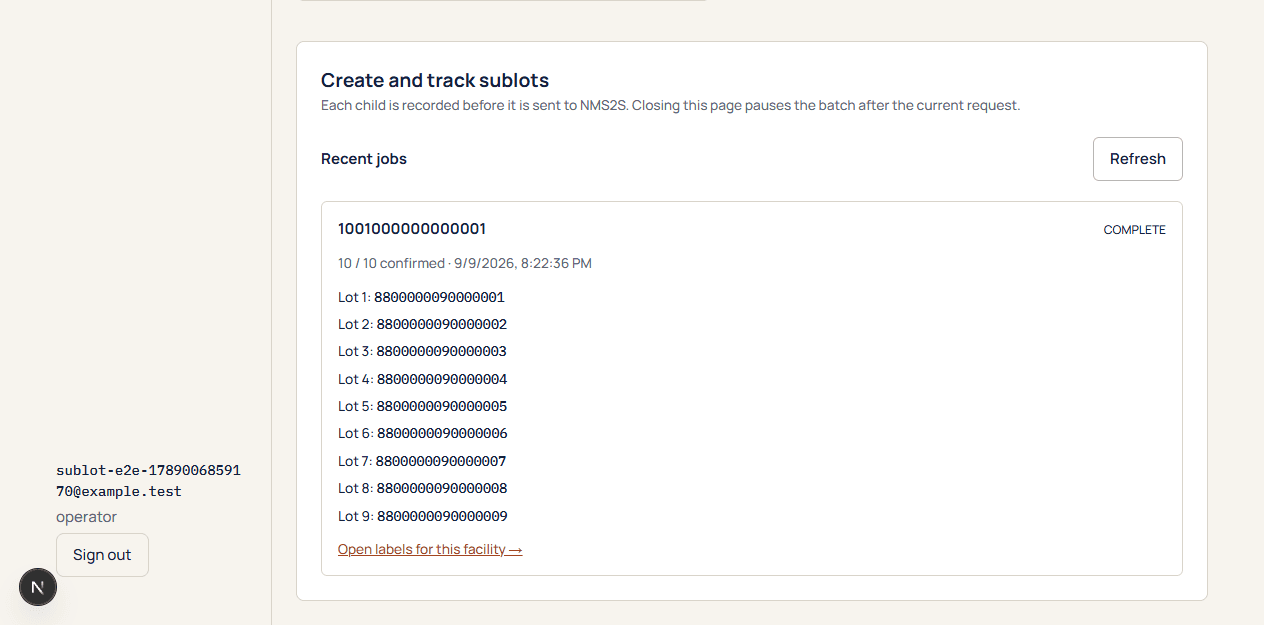
Step-by-step instructions
1Pause after current child
During a run, select the pause control. The in-flight state request finishes before the batch stops. Closing the page also stops future requests after the current handler finishes.
2Recent jobs > Refresh
Return to Sublots and refresh history. Read how many children are confirmed and whether any still need inventory refresh or reconciliation.
3Resume job
Resume only the recorded active job when its outcomes allow it. Waputu continues with the next unsent child.
4Cancel remaining
Use this only for work not yet submitted. It does not delete, merge or undo confirmed state children.
5Labels
Confirmed, mirrored children can be handed to Labels even if the remaining batch is cancelled.
Confirmed children stay intact and no completed child is recreated by a resume or reprint.
If something goes wrong
Resume is disabled
A pending, rejected or unknown outcome may require review. Check the explanation on the job.
Cancel is disabled
An in-flight or unknown request must be reconciled first. Cancellation cannot prove that the state request did not execute.
Still need help?
Send the workspace, facility, safe error and approximate time. Keep credentials and private activation links out of the message.
Contact supportSearch another guide