 waputu
Before you start
- The child must be confirmed and mirrored.
- Prepare the correct product facts and intended label stock.
Where to click
- 1Recent jobs→
- 2Open labels for this facility→
- 3Selected lots→
- 4Product facts and stock→
- 5Validate and save print job
Step-by-step instructions
1Recent jobs
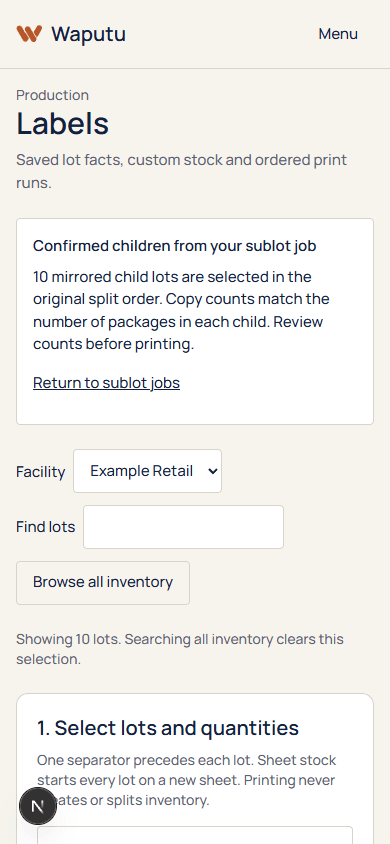
Open the completed or partially completed sublot job. Confirm the children listed are the intended batch.
2Open labels for this facility
Follow the link below the job. It carries the job identifier and facility into Labels.
3Selected lots
Check the preselected child order. Package-based splits prefill the package amount as the label count; other units default to one editable copy.
4Product facts and stock
Review each child profile, quantity, label size and QR destination. The handoff does not create missing product facts or certify packaging.
5Validate and save print job
Save the ordered output. Ten selected children with fifty copies each produce 500 labels and ten separators.
The PDF follows the persisted child order and each separator precedes the matching lot labels.
If something goes wrong
A child is not selected
Only confirmed, mirrored and currently available children are included. Investigate missing or uncertain records.
You browse other inventory
Changing to a general inventory selection can clear the job-specific handoff. Reopen the job link to restore its ordered selection.
Still need help?
Send the workspace, facility, safe error and approximate time. Keep credentials and private activation links out of the message.
Contact supportSearch another guide